
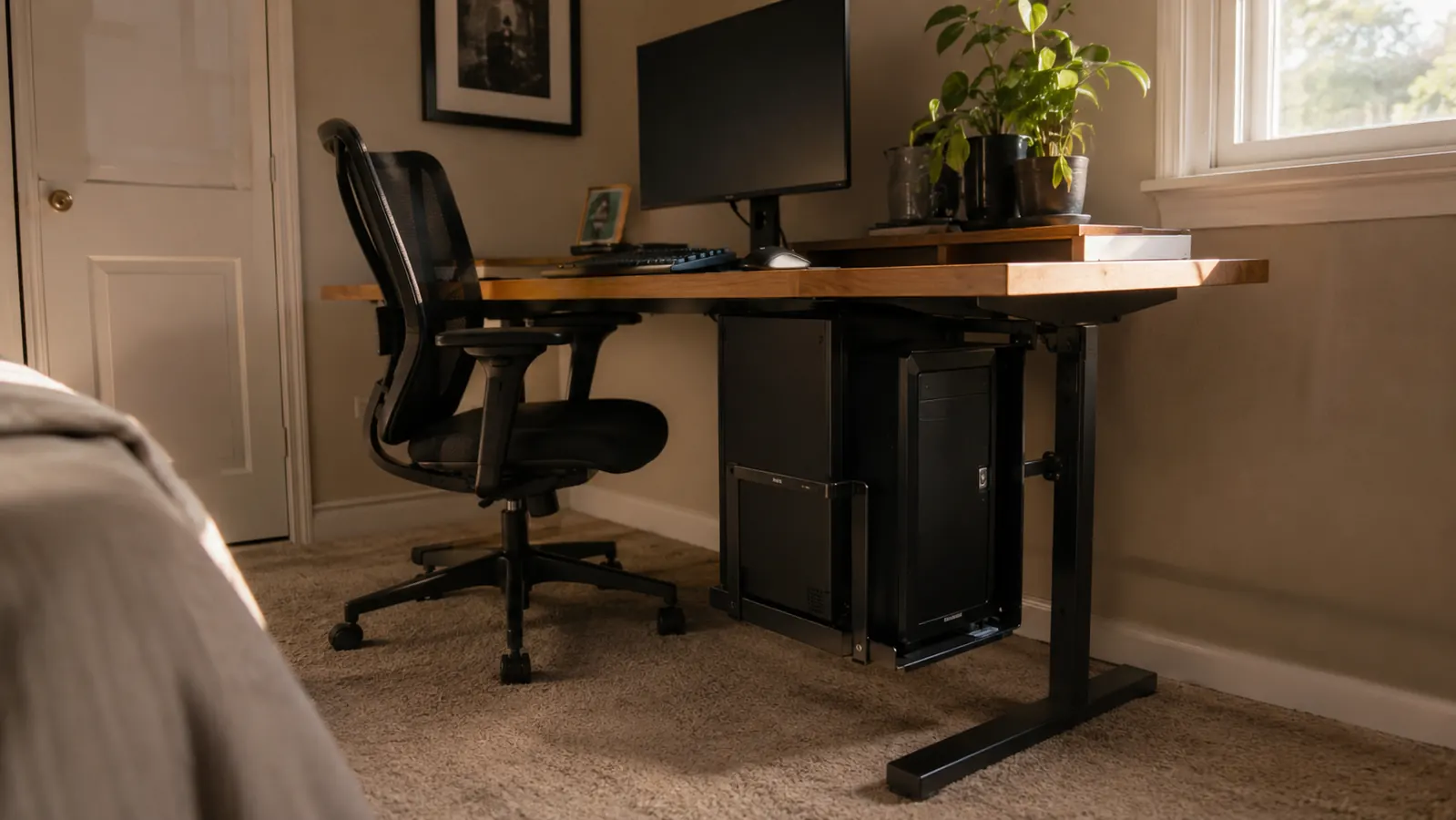
Every home office I've set up in Columbus that started life as a spare bedroom has one thing in common: not enough floor space. Clients push a desk into a corner, plug in a full tower, and within a week they're kicking the case with their ankle every time they roll the chair back to grab a phone charger. That was my own setup too, for longer than I want to admit, until I got tired of stubbing my toe on my own PC and looked into under-desk mounts instead of just buying a bigger desk. I want to be straight about this one before you spend anything, because a lot of what gets written about CPU mounts online skips the parts that actually matter once you're living with one.
I bought the VIVO Black Under Desk and Wall Office PC Mount, the MOUNT-PC01, back in the spring after a client in Bexley asked if it was worth the money over just building a plywood shelf under her desk. I told her I'd test one myself before I recommended it to anyone else. It's been holding my own tower for months now, swiveled out from under the desk every time I need to hit the power button or plug in a flash drive, and I've got opinions about it that go past the standard 'it holds your computer' review you'll find everywhere else.
The Quick Verdict
It genuinely solved my floor clutter problem and the swivel arm is more useful than I expected, but the width range and the mounting hardware both have real limits nobody mentions upfront.
Amazon Check Today's Price →Sick of kicking your own tower every time you roll back from the desk? Here's the fix.
The VIVO MOUNT-PC01 holds towers 3.5 to 7.8 inches wide and up to 22 pounds, mounted under the desk or on a wall. Check today's price and current availability before you decide.
Amazon Check Today's Price on Amazon →How I Actually Tested This
I didn't do a weekend unboxing review here. I mounted the VIVO bracket under my own desk in early spring and left it there through a full stretch of client season, which for me means back-to-back calls, site visits, and a lot of yanking cables in and out of the tower to test peripherals for other people's setups. If a mount was going to loosen up or start sagging under real use, this was the stretch that would show it.
Installation took about twenty-five minutes, longer than the fifteen VIVO advertises, mostly because I was locating studs to screw into rather than just biting into the underside of a hollow particleboard desk. I'll get into why that distinction matters in a minute, because it's the single biggest thing the product photos don't tell you.
Once it was up, I ran my mid-tower on it daily, swiveling the whole assembly out from under the desk two or three times a week to plug in a USB drive or hit the reset button, then pushing it back in when I was done. That in-and-out motion is where most of what I learned actually happened, not in the initial mounting.
I also tried it under two different desks over the course of the test, my own solid maple desk at home and a client's flat-pack particleboard desk in Grandview Heights, on purpose. I wanted to know if my results were a fluke of having a sturdier desk than most people own. They weren't. The mount performed fine on both once it was anchored properly, but the particleboard desk needed the extra hardware I mentioned earlier, and I wouldn't have known that without testing it on a desk more typical of what most home offices actually have.
What Nobody Tells You Before You Bolt This Under Your Desk
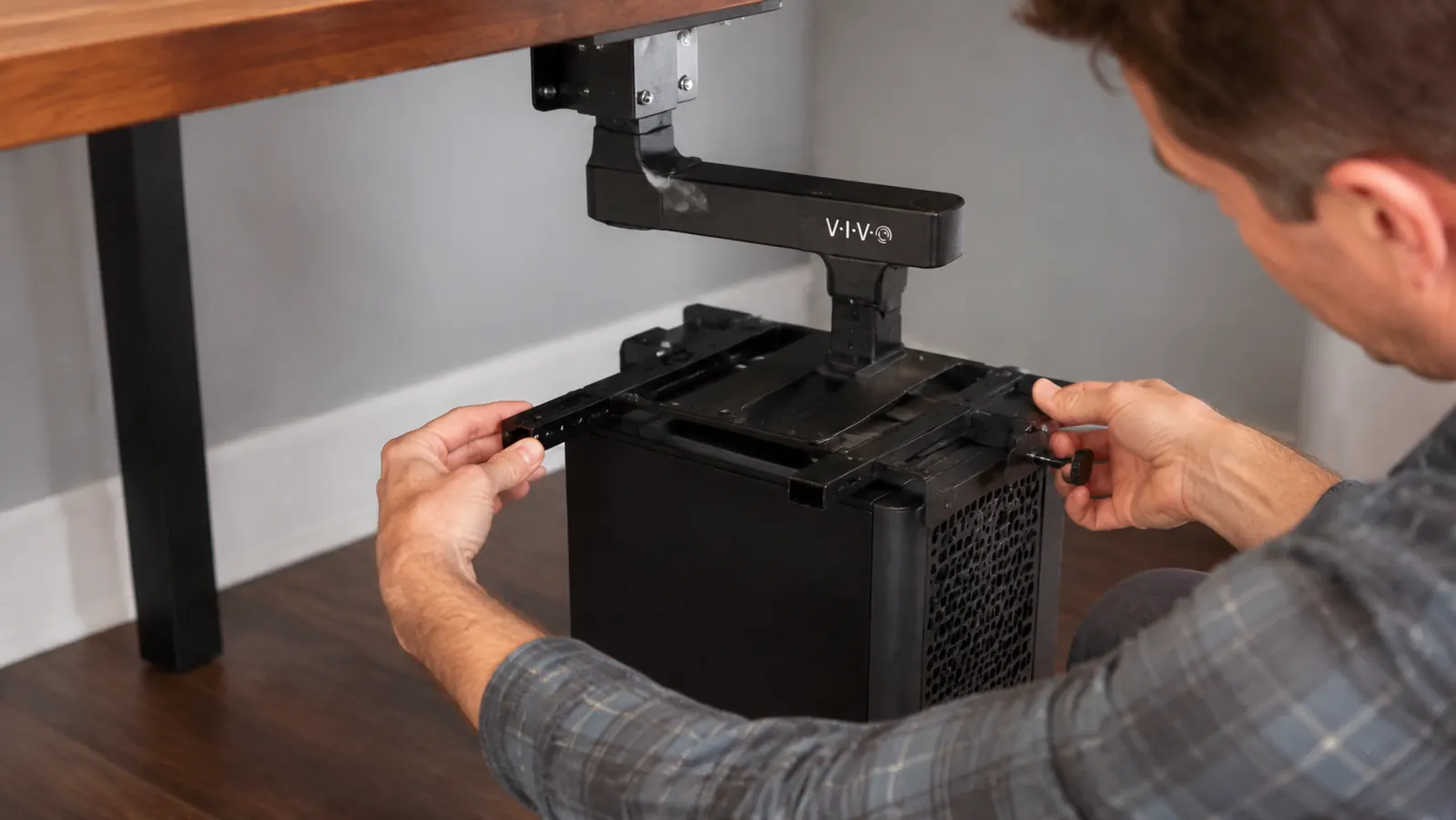
Here's the part every VIVO listing glosses over. The mount comes with two mounting options, screwed directly into the underside of your desk or screwed into a wall stud, and the hardware VIVO includes is sized for solid wood or a stud, not the particleboard core most flat-pack desks are built from. I found this out the hard way on my first attempt, when the screws bit into soft board and started to spin instead of tighten. I ended up adding my own toggle-style anchors, which isn't hard, but it's an extra trip to the hardware store nobody warns you about in the reviews that just say 'easy install.'
The sliding side rails are the other thing that surprised me, in a good way this time. VIVO rates the mount for towers 3.5 to 7.8 inches wide, and the rails actually slide smoothly on a track rather than requiring you to fully disassemble anything to fit your case. My tower sits right in the middle of that range, and the fit was snug without needing to force it. If your tower is a wide gaming case pushing past 8 inches, though, this mount simply will not fit, and no amount of adjusting the rails changes that.
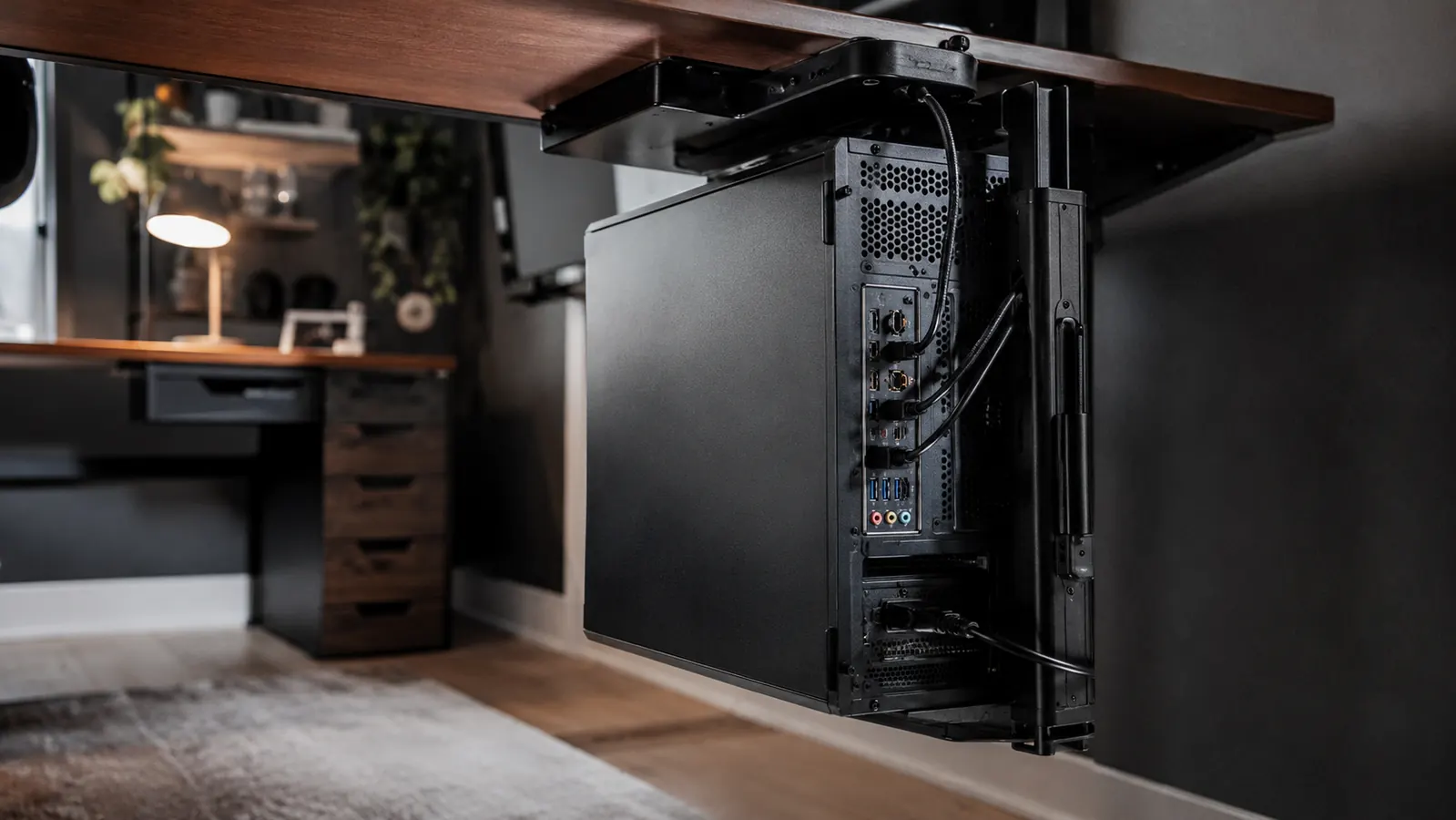
The swivel arm is the feature that actually sold me on keeping it long term. It lets the whole bracket, tower and all, pivot out from under the desk on a horizontal arm, which means you're not on your hands and knees with a flashlight every time you need a port on the back of the case. That single design choice does more for the day-to-day usability of this mount than the weight rating or the material ever will.
One thing that isn't in any of the marketing copy: the swivel arm only rotates out to one side, not both. Depending on which way your desk is oriented relative to the room, that could mean the tower swings out toward your legroom instead of away from it. I had to remount mine once I noticed I'd installed it backward for my own desk layout, which cost me another twenty minutes I didn't plan on. Check which direction your desk needs before you tighten the first screw.
Weeks of Real Use: What Actually Changed
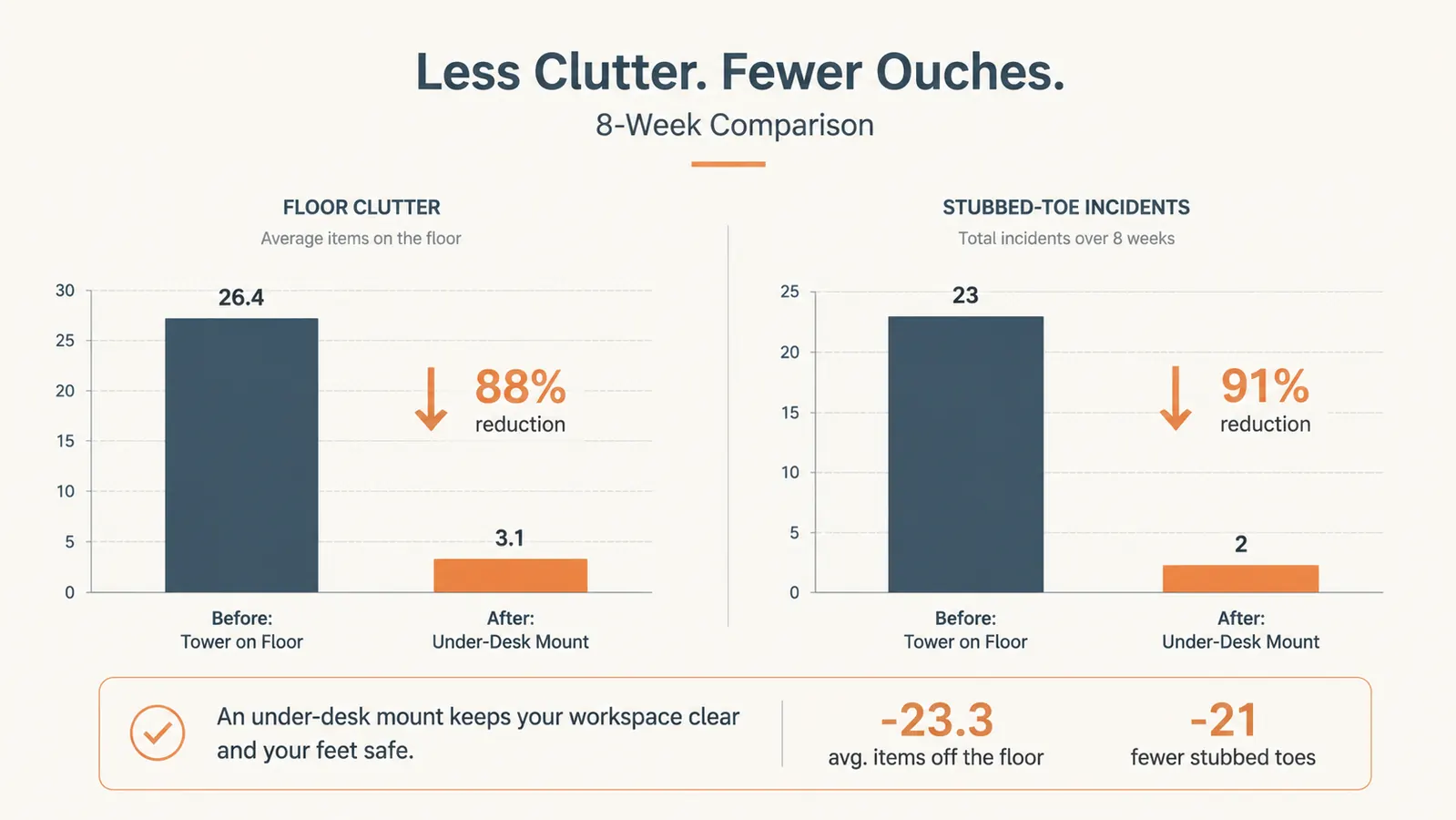
The floor clearance is the obvious win, and it's real. My tower used to sit on a rubber mat between the desk legs, catching dust bunnies and getting kicked at least once a week. With the VIVO mount, that whole footprint is gone. My chair rolls back without hitting anything, and vacuuming under the desk stopped requiring me to move a forty-pound tower out of the way first.
Cable management got better too, though not automatically. Because the tower now hangs a few inches off the floor and swings outward, I had to redo my cable runs with enough slack to let the whole assembly swivel without yanking a power cord out of the wall. That took an extra half hour I hadn't planned for, zip-tying a service loop into every cable so the swing had room to move. Once that was done, it's been clean for months.
The dust situation also changed, mostly for the better. Off the floor, the intake fans aren't pulling in nearly as much carpet fiber and pet hair as they were at ground level. I've cleaned the case twice in the months since mounting it, compared to roughly monthly before, when it sat directly on the floor near a heating vent.
Is It Actually Worth the Money
This mount runs under 35 dollars at current pricing, which puts it well below what I'd expect to pay for a purpose-built CPU shelf with a swivel arm and a locking clamp. I've priced out custom under-desk shelving for clients before, and even a simple plywood-and-bracket job runs more than that once you count materials and the hour or two of labor to build and mount it properly.
That said, cheap materials show up somewhere, and here it's in the gauge of the metal on the swivel arm and the plastic end caps on the sliding rails. Neither feels flimsy exactly, but neither feels like it was built to survive being dropped or overtightened either. I'd call it appropriately priced for what it is, not a bargain and not overpriced, which is a rarer honest answer than most reviews give you.
Where the value really shows up is in the time saved. Building an equivalent shelf myself would have eaten a Saturday morning. Buying this and spending twenty-five minutes with a drill got me the same result, with a swivel feature I wouldn't have bothered engineering into a DIY shelf anyway. For that alone, I think it earns its price for most people, even the ones who could technically build something similar themselves.
The Things That Actually Annoyed Me
The weight rating is 22 pounds, and I want to be honest that a fully loaded mid-tower with a couple of extra drives and a beefier cooler gets closer to that number than the marketing photos suggest. Mine sits around 19 pounds, and I can feel a slight give in the arm when I swivel it out fully extended. It's not scary, but it's not the rock-solid feeling you get from a shelf sitting on the floor either.
I also ran into a rattle after about six weeks, a small metallic tick whenever the tower's fans hit a certain vibration frequency. Tightening the mounting bolts fixed it, but it came back once more a couple months in. It's a five-minute fix with an Allen wrench, but it's not a set-it-and-forget-it product the way the listing implies.
And the desk-mounting option eats into usable underside space if you have a keyboard tray or a drawer down there already. On a client's desk that had both, we ended up going with the wall-mount option instead, which solved the clearance issue but meant running longer cables to the wall behind the desk. Worth knowing before you assume it just drops in under any setup.
Alternatives I Considered Before Buying
Before I settled on this particular mount, I looked at just letting the tower stand on the floor next to the desk instead of underneath it, since that avoids the mounting hassle entirely. I laid out the tradeoffs of that approach in detail in 10 Reasons Under-Desk CPU Mounts Help Your Workflow, which covers why I ended up mounting mine instead of just relocating it.
I also compared this VIVO mount directly against keeping the tower on the ground in a dedicated stand, since that's what most of my clients default to without thinking about it. The full breakdown is in VIVO CPU Mount vs a Floor-Standing Tower, including the actual measurements on floor space reclaimed.
If you want the longer field test, the version of this review that tracks the mount over a longer stretch with more day-to-day detail on durability, is in VIVO CPU Mount Review: Months of Daily Under-Desk Use. That one goes deeper on wear and tear than I have room for here.
What I Liked
- Frees up real floor space and stops the daily ankle-kicking problem
- Swivel arm makes back-panel ports reachable without crawling under the desk
- Sliding rails fit a solid range of tower widths without disassembly
- Noticeably less dust pulled into the case once it's off the floor
- Price is reasonable compared to building an equivalent shelf yourself
Where It Falls Short
- Included screws are sized for solid wood or studs, not most particleboard desks
- 22-pound rating leaves little margin for a heavier loaded mid-tower
- Developed a mounting rattle twice that needed re-tightening
- Swivel arm only rotates to one side, so orientation matters before you install
- Eats into underside desk space if you already have a keyboard tray or drawer there
The swivel arm is the whole reason to buy this over a plain shelf. Everything else is just details you can work around.
Who This Is For
This mount makes the most sense for anyone working in a tight home office where floor space under the desk is actually contested territory, a converted bedroom, a corner of a living room, anywhere a rolling chair and a tower keep colliding. It's also a solid fit if your tower falls comfortably within that 3.5 to 7.8 inch width range and weighs under roughly 20 pounds loaded, since that's where the mount performs at its best without straining the arm.
Who Should Skip It
If your desk is hollow particleboard through and through with no stud or solid mounting point anywhere nearby, budget for extra hardware or plan on the wall-mount route from the start, because the stock screws alone won't hold reliably. Skip it too if your case is a wide gaming tower pushing past 8 inches, since the rails simply won't stretch that far no matter how you adjust them. And if you already use every inch of underside desk space for a keyboard tray or file drawer, measure twice before you buy, because this mount competes directly for that same real estate.
Still deciding if your tower fits this mount? Check the specs before you order.
Months in, this earned a permanent spot under my desk, but it's worth confirming your case width and desk material first. See today's price and current availability for the VIVO Under Desk PC Mount.
Amazon Check Today's Price on Amazon →