
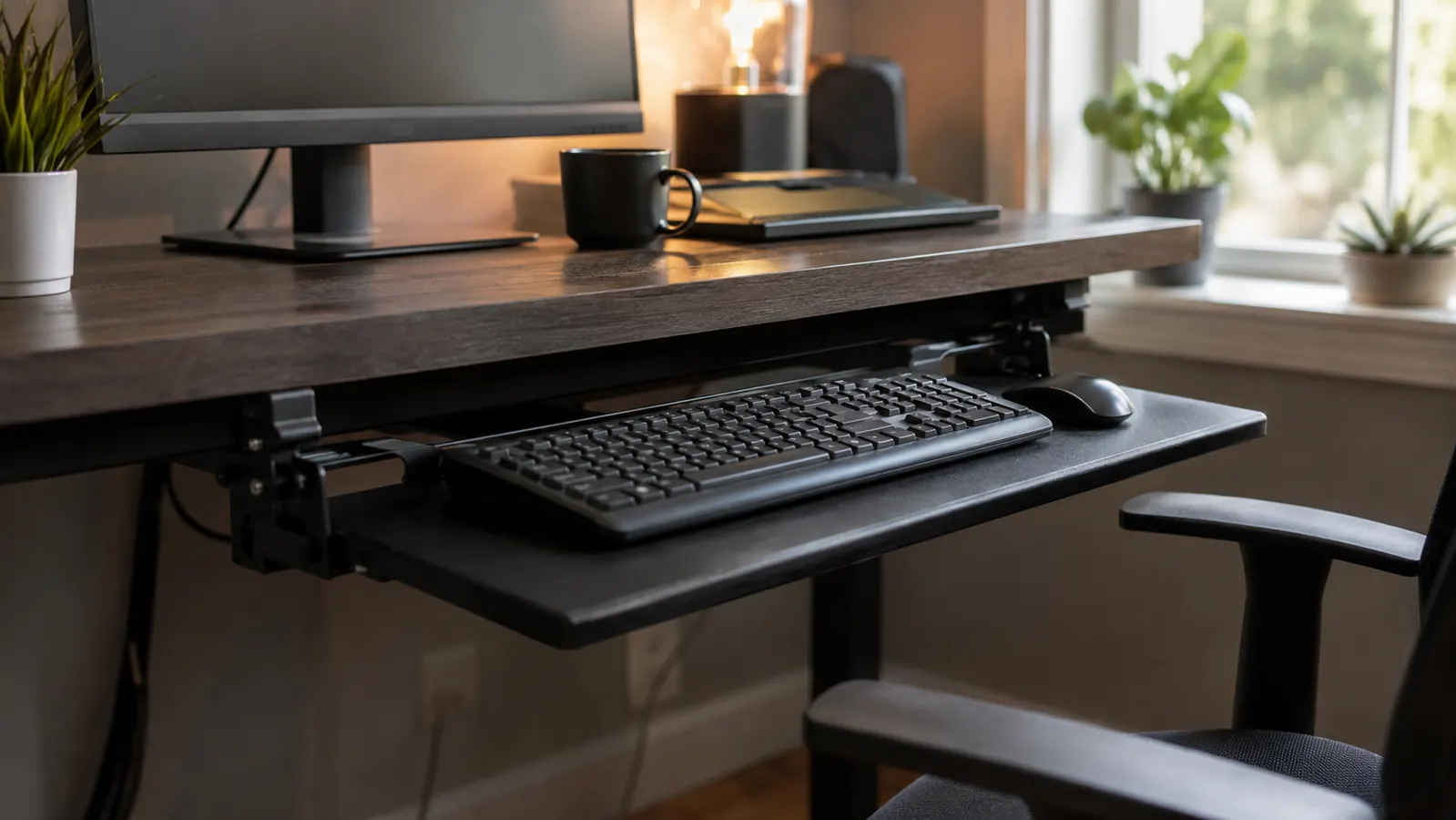
Nine years of setting up home offices for other people has taught me one thing about keyboard trays: everybody assumes they are only for people with a diagnosis, carpal tunnel, tendonitis, something a doctor put a name to. That was not my situation. I installed a VIVO Small Keyboard Tray under my own desk here in Columbus, Ohio, about two years ago, and I did not have a diagnosis. I had a nagging soreness in my right wrist by mid-afternoon most days, the kind you shake out and forget about until it comes back the next afternoon. Typing directly on a fixed desktop, which is what I did for the six years before that, puts your wrists in extension, bent back and up, for most of an eight-hour day. That is the real comparison in this article: a VIVO keyboard tray that drops your hands to a proper typing height, against just typing on the desk the way most people still do because nobody ever told them there was another option.
Short answer, for anyone who wants the verdict before the specs: the VIVO tray wins for most people who type more than an hour or two a day. Typing directly on the desk only wins in a narrow set of situations, mostly when you cannot clamp anything to the desk edge or you are barely at the keyboard at all. I will get into exactly why below, and I will also tell you honestly where the fixed desk approach still makes sense, because it does for some setups. This is not a tray-or-nothing pitch. I have talked people out of buying a tray more than once.
I saw this exact tradeoff play out with a client I set up last spring, a bookkeeper who works nine-hour days on a laptop connected to a monitor. She had been typing directly on her desk for three years and mentioned, almost as an aside, that her hands went numb some evenings. That is a classic sign of nerve compression from sustained wrist extension, not something to shrug off. We measured her desk's front edge, confirmed it would take a clamp, and installed the same VIVO tray I use. She emailed me six weeks later to say the numbness was gone. I am not a doctor and I am not claiming a keyboard tray cures nerve issues, but removing the mechanical cause of the strain made an obvious difference for her.
| Attribute | VIVO Keyboard Tray | Typing Directly on the Desk |
|---|---|---|
| Wrist Angle While Typing | Neutral, slight negative tilt | Extended, bent upward |
| Keyboard Height vs Elbow | Adjustable to elbow height | Fixed, usually 2-4 inches too high |
| Shoulder Position | Relaxed, arms at sides | Shrugged forward and up |
| Setup Time | 15-20 minutes with a screwdriver | None, already there |
| Cost | Budget-friendly, one-time purchase | Free |
| Desk Space When Not Typing | Slides fully under the desk | Keyboard sits out permanently |
| Desk Compatibility | Needs a 1-3 inch clampable front edge | Works on any desk |
| Long-Term Wrist Strain Risk | Low, at correct height | Moderate to high over years |
| Floor/Under-Desk Clearance | Slightly more obstruction | Fully clear floor access |
Where the VIVO Keyboard Tray Wins
The wrist angle is the whole ballgame. Most desks are built around a 28 to 30 inch work surface height because that is comfortable for writing on paper, not for typing. When you type directly on that surface, your elbows sit below your wrists, which forces your hands into extension, bent backward, for the entire time you are on the keyboard. Do that for six, seven, eight hours a day and you get exactly what I had: a dull ache that shows up by early afternoon and lingers into the evening. The VIVO tray solves this by dropping the keyboard down and slightly toward you, so your forearms stay closer to level and your wrists stay in a neutral position instead of bent. I go through the mechanics of this in more detail in ten reasons a keyboard tray fixes wrist pain, but the short version is that neutral wrist position is the single biggest ergonomic lever most home offices are missing.
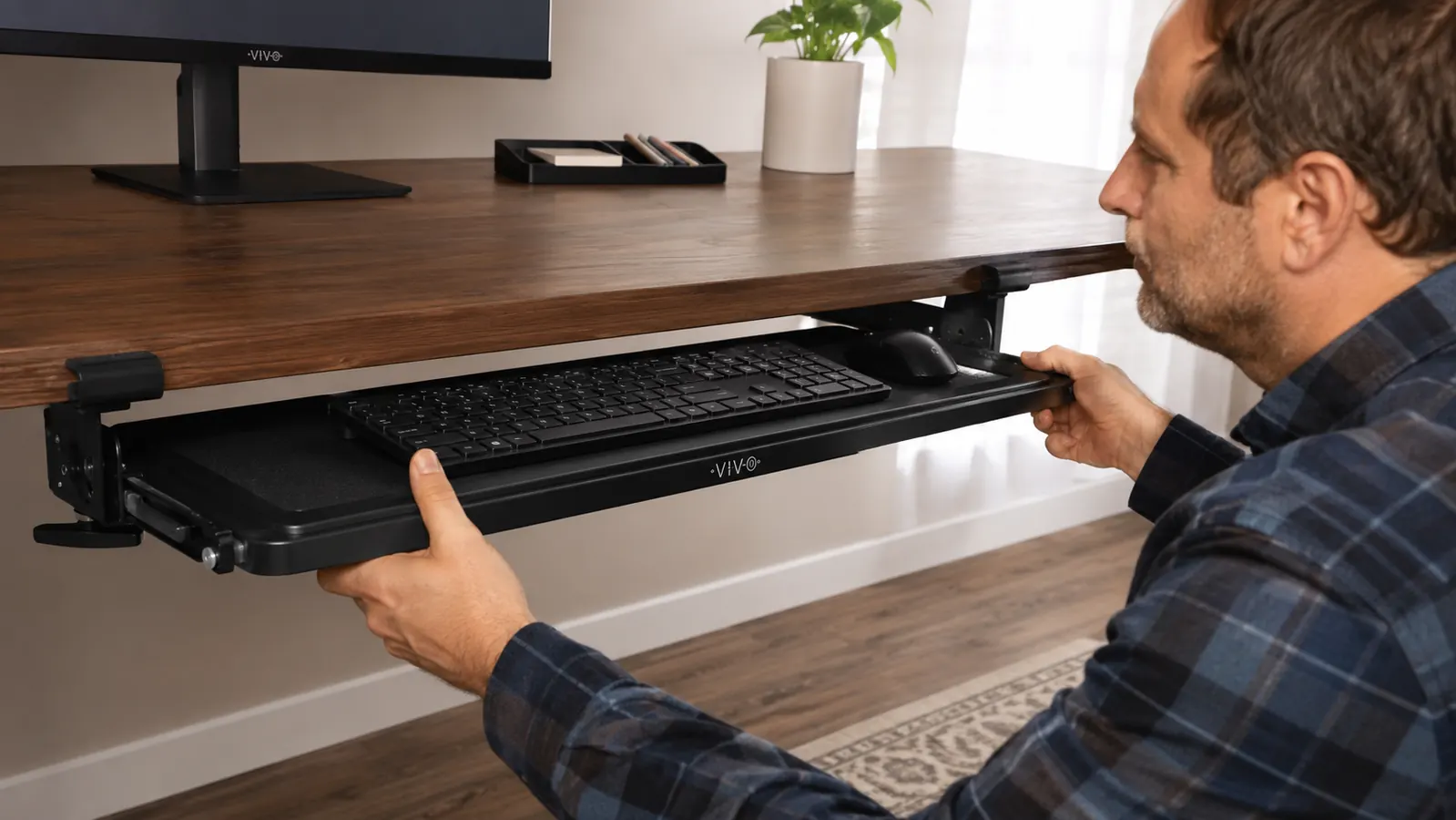
The second thing the VIVO tray does well is reclaim desk space without permanently losing it. The tray slides fully back under the desktop when you are not typing, so if I need the surface clear for a client video call or spreading out paperwork, I push the tray in and it disappears. Compare that to typing directly on the desk, where your keyboard and mouse sit out permanently, eating up the same six to eight inches of desk depth whether you are using them or not. Over two years of daily use, the clamp mechanism on mine has not loosened once. I re-tighten the C-clamps maybe twice a year as routine maintenance, and that is it.
I will also say the adjustability matters more than people expect going in. The VIVO tray tilts and slides, so I found a spot where my shoulders stay down instead of creeping up toward my ears, which is a habit fixed-desk typing trains into you without you noticing. My wife noticed it before I did, actually, she said I looked less hunched on video calls about a month after I installed it. That is anecdotal, but it lines up with what the ergonomics research says about elbow and shoulder position during prolonged keyboard use.
There is also a mouse consideration people forget. My VIVO tray is wide enough that I run both keyboard and mouse on the same platform, so my mouse hand gets the identical neutral-height benefit as my typing hand. If you only fix keyboard height and leave your mouse sitting up on the desk surface, you have solved half the problem. A lot of the tray complaints I read online turn out to be people who bought a keyboard-only tray too narrow for a mouse, then blame the tray for wrist pain that never actually went away in that hand.
Where Typing Directly on the Desk Wins
I am not going to pretend the fixed-desk approach has zero advantages, because it does. The biggest one is that it requires nothing. No clamp, no screwdriver, no measuring your desk's front edge thickness to make sure a tray will fit. If you are at a desk for 20 minutes a day answering a few emails, installing a keyboard tray is solving a problem you do not have. I have talked at least three people out of buying one for exactly this reason, light, occasional desk use where the wrist strain never has time to accumulate.
The other real advantage is desk compatibility. Some desks, particularly glass-top desks, very thin metal-frame desks, or desks with a rounded or beveled front edge, cannot accept a clamp-on tray at all. If that is your desk, typing directly on it is not a choice, it is the only option, and in that case you are better off raising your chair and adding a footrest to get your elbows closer to keyboard height than trying to force a tray onto a desk that will not hold one.
Floor clearance is a smaller point but a real one. A tray does add a small amount of hardware under the desk, and if you are someone who vacuums under there weekly or you have a robot vacuum running its route, the clamp brackets and slide rails are one more thing in the way. It is not a dealbreaker for me, but I will not pretend the space under my desk is as clean and open as it was before I put the tray in.
There is one more scenario worth naming: shared or hot-desk setups. If you work from a coworking space or a desk that rotates between three or four different people during the week, mounting a personal keyboard tray usually is not practical or welcome. In that case, typing directly on the desk with a good external keyboard you carry with you, and raising your chair to get elbow height closer to correct, is the more realistic fix. I would not clamp hardware to a desk I do not own or control.
My wrist ache disappeared inside three weeks of dropping the keyboard to elbow height. See today's VIVO price.
The VIVO Small Keyboard Tray clamps to desks 1 to 3 inches thick with no drilling, slides fully under the desktop when you are not using it, and has over 14,000 reviews averaging 4.4 stars. It is the single change I recommend most often to clients who tell me their wrists hurt by mid-afternoon.
Amazon Check Today's Price on Amazon →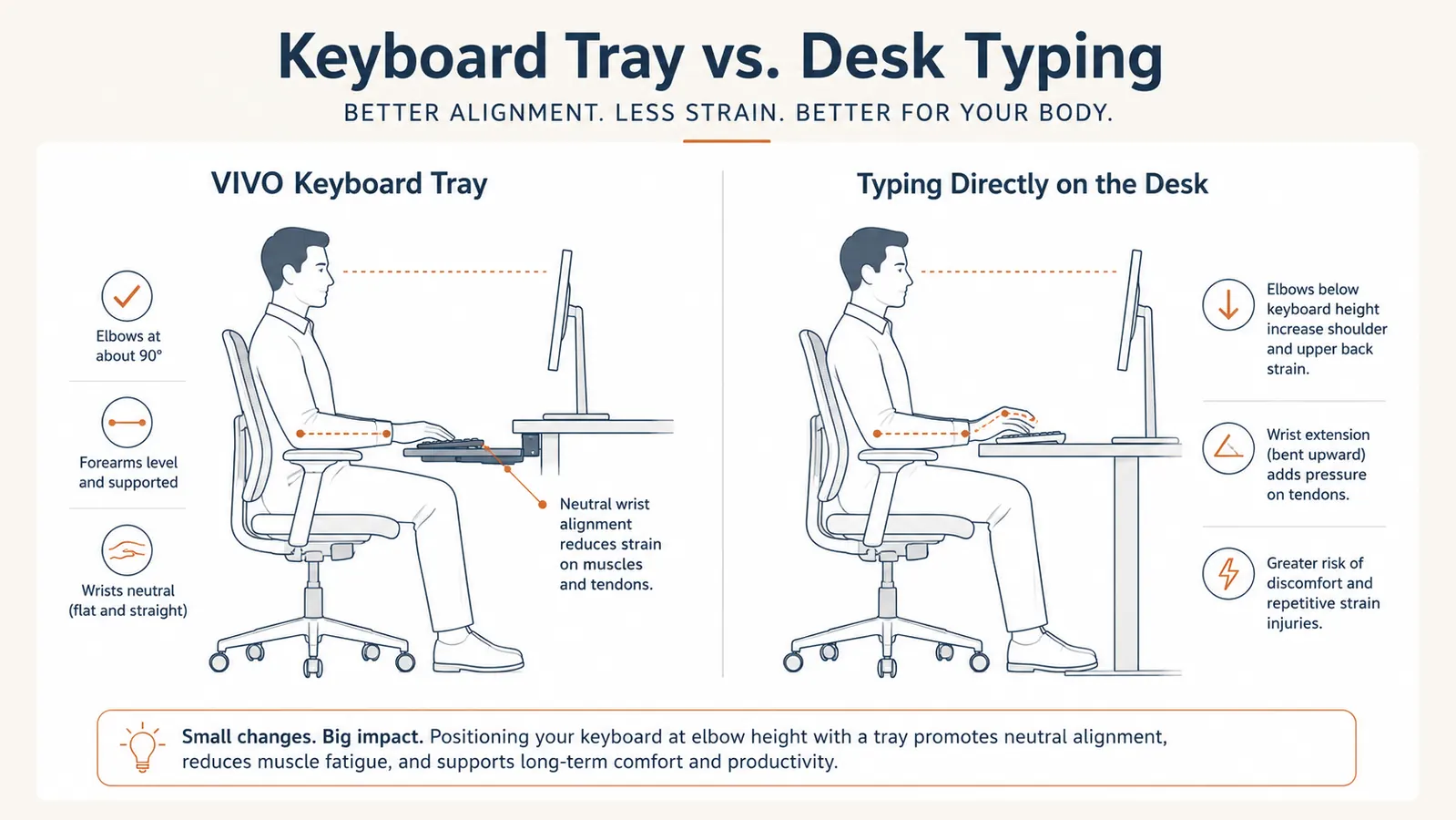
The Installation Reality
People ask me if installing a clamp-on tray is a hassle, and honestly, it is not, but it is also not nothing. You need a front desk edge between 1 and 3 inches thick, a Phillips screwdriver, and about 15 to 20 minutes. I walk through the whole process, including the two mistakes people make most often, uneven clamp tension and mounting too far forward, in how to install a clamp-on keyboard tray. If you have ever assembled flat-pack furniture, you can do this without help.
The one thing I will flag honestly: measure your desk's front edge before you order anything, VIVO included. I have seen people order a keyboard tray, get it home, and discover their desk has a rounded bullnose edge the clamp cannot grip. Five minutes with a tape measure before you buy saves you a return. Once it is mounted correctly, though, the VIVO tray is not something you think about again. It becomes part of the desk.
Who Should Buy Which
Buy the VIVO Keyboard Tray if you are at a keyboard for more than an hour or two most days, your desk has a clampable front edge between 1 and 3 inches thick, and you have noticed any wrist, forearm, or shoulder soreness by the end of a workday. That covers most remote and hybrid workers I have set up over the years. I go into more day-to-day detail in my honest VIVO keyboard tray review if you want the longer version after six months of use, not just the unboxing impression.
Stick with typing directly on the desk if you are on a glass-top or thin metal desk a tray physically cannot clamp to, or if your total keyboard time on a given day is genuinely light, under 30 to 45 minutes. For everyone in between, which in my experience is most people reading a comparison article like this one, the VIVO tray is the better long-term call. It costs less than a single physical therapy copay and it addresses the actual mechanical cause of desk-related wrist soreness instead of just treating the symptom after it shows up.
One more practical note before you decide: check your desk's front edge thickness with an actual tape measure, not a guess, and check it before you read a single more comparison article online. Most standard home desks fall in the 1 to 2 inch range and clamp on without issue. Older solid-wood desks sometimes run thicker, closer to 2.5 or 3 inches, which the VIVO tray's clamps can still typically handle, but it is worth confirming against the product's listed clamp range before you order rather than after.
If you are still on the fence, think about how you feel by 3 p.m. on a normal work day. If your wrists, forearms, or shoulders are tight or sore by then, that is your desk telling you something, and a VIVO tray is an affordable fix for a problem that otherwise compounds for years. If 3 p.m. feels no different from 9 a.m., you are probably in the group that does not need one yet.
Two years in, the VIVO tray is still the first thing I recommend for wrist soreness.
VIVO Small Keyboard Tray. 4.4 stars, 14,000+ reviews, clamps to desks 1 to 3 inches thick with no drilling required. If your wrists ache by mid-afternoon, this is the fix I would try first.
Amazon Check Today's Price on Amazon →